How to remove "Powered by Ghost"
This blog is Powered by Ghost. Because this blog is also free of advertisements, I wanted to remove the “Powered by Ghost” branding that would normally appear on the site, as shown in the screenshots below.
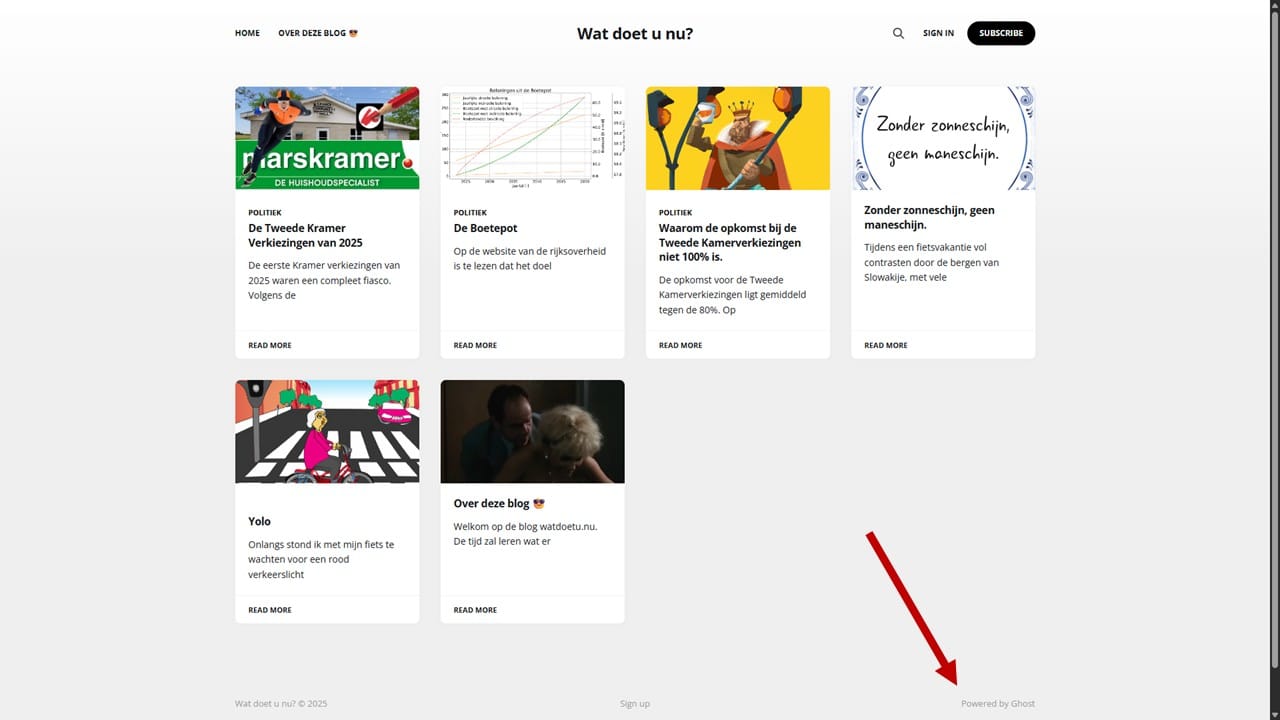
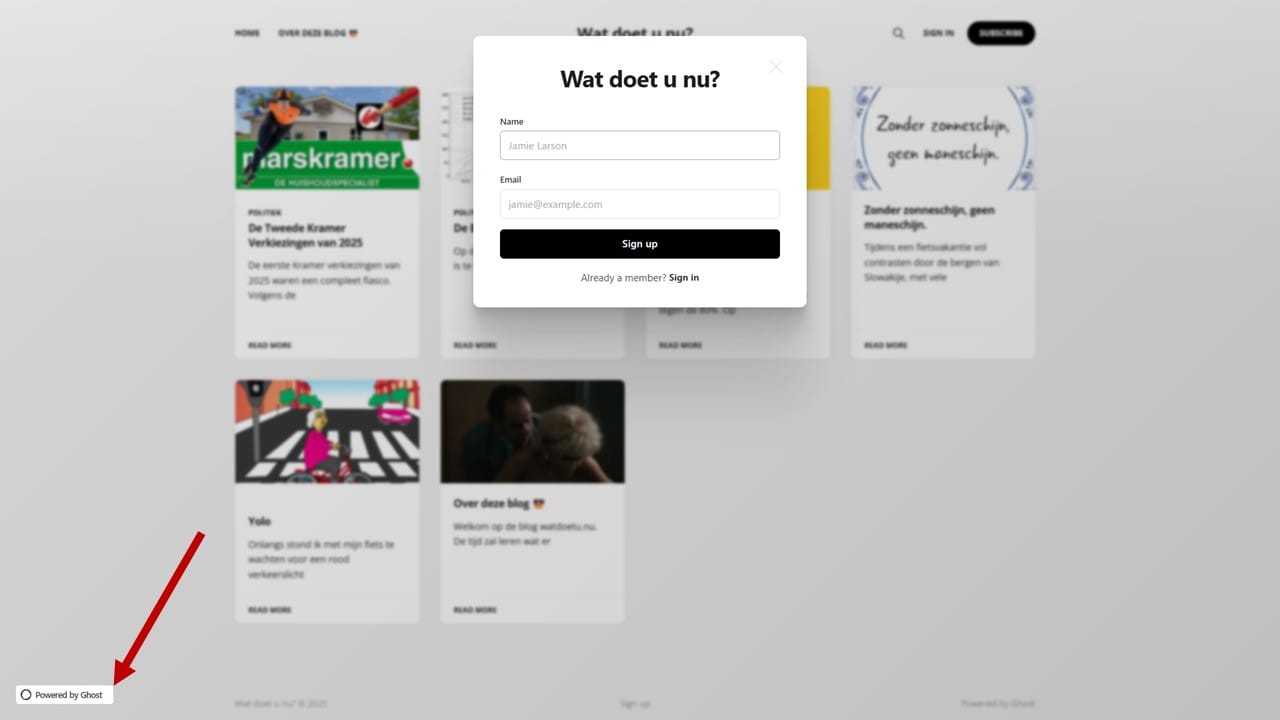
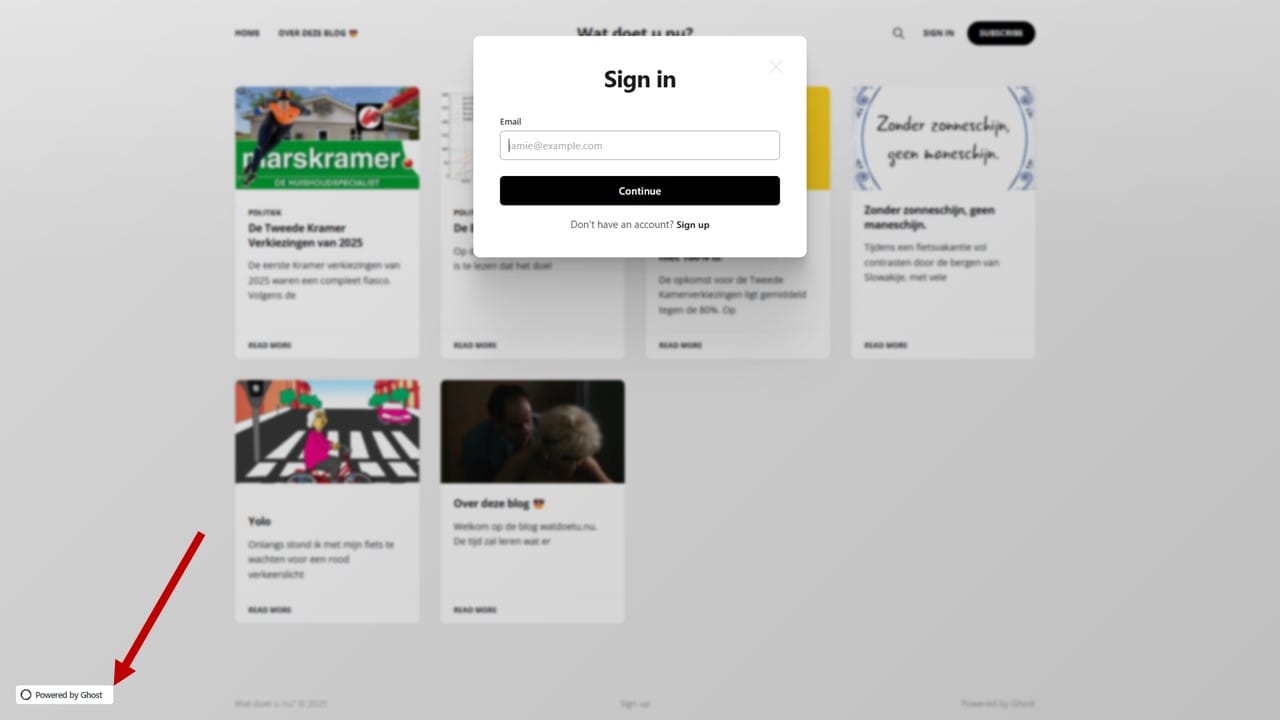
The normally appeared "Powered by Ghost" branding on this blog.
Remove "Powered by Ghost" from the Footer
A common way [1, 2, 3] to hide the “Powered by Ghost” branding in the footer is by using this CSS snippet:
<style>
      .gh-powered-by {
              display: none; !important
      }
</style>
This does exactly what is says: it effectively hides the branding, but it also leaves the remaining footer items misaligned.
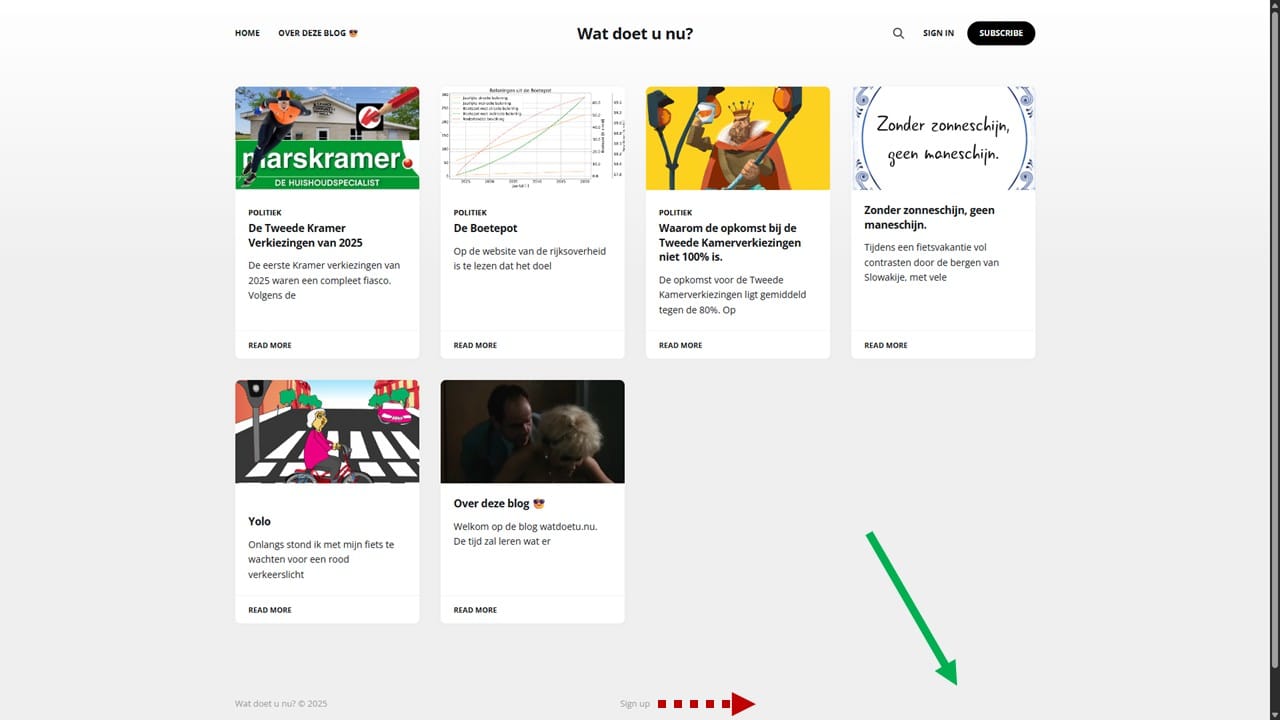
To create a cleaner layout, you can instead use a small JavaScript script that removes the branding and adjusts the footer layout:
// Remove the "Powered by Ghost" footer element
document.addEventListener('DOMContentLoaded', () => {
  // Remove the powered by element
  const poweredByElements = document.querySelectorAll('.gh-powered-by');
  poweredByElements.forEach(el => el.remove());

  // Adjust remaining footer items: left and right
  const footerInner = document.querySelector('.gh-foot-inner');
  if (footerInner) {
    footerInner.style.gridTemplateColumns = '1fr 1fr';
    footerInner.style.justifyItems = 'stretch';
  }

  // Left align copyright, right align sign up
  const copyright = document.querySelector('.gh-copyright');
  const footMenu = document.querySelector('.gh-foot-menu');
  if (copyright) copyright.style.textAlign = 'left';
  if (footMenu) footMenu.style.textAlign = 'right';
});
Remove 'Powered by Ghost' from the footer.
When the page loads, it:
- Removes all elements with class
.gh-powered-by - Adjusts the footer layout to a two-column grid (
1fr 1fr) - Aligns remaining items: copyright text to the left, footer menu to the right
Remove "Powered by Ghost" from the Portal
Ghost also displays a "Powered by Ghost" badge in its portal popup. Because this badge is loaded inside an iframe, hiding it requires JavaScript that watches for when the portal loads and then hides the element inside the iframe.
Noise Amplifier uses polling: a timer runs every 50 milliseconds, repeatedly asking "is the element there yet?" This is inefficient and wastes CPU resources, assumes a fixed DOM structure, and can crash or run indefinitely if something changes.
The solution below is a better solution. It uses event-driven detection. It listens for DOM changes, responds only when the iframe loads, and includes error handling for edge cases. This makes it more efficient, reliable, and resilient to unexpected page structures.
window.addEventListener('load', () => {
  // Helper: when we get an iframe element, try to hide the .gh-portal-powered inside it
  const processIframe = (iframe) => {
    // If iframe already loaded, attempt right away; otherwise wait for load
    const tryHide = () => {
      try {
        const doc = iframe.contentDocument;
        const el = doc?.querySelector?.('.gh-portal-powered');
        if (el) el.style.display = 'none';
      } catch (err) {
        // Accessing contentDocument can throw if iframe is cross-origin/sandboxed.
        // Swallow the error — nothing we can do in that case.
      }
    };

    if (iframe.complete) {
      tryHide();
    } else {
      iframe.addEventListener('load', tryHide, { once: true });
    }
  };

  // If there are already portal iframes on load, handle them
  document.querySelectorAll('iframe').forEach(ifr => processIframe(ifr));

  // Observe the whole document for newly added iframes or portal root
  new MutationObserver((mutations) => {
    for (const m of mutations) {
      for (const node of m.addedNodes) {
        if (!(node instanceof HTMLElement)) continue;

        // If the portal root was added somewhere later, scan it for an iframe
        if (node.id === 'ghost-portal-root' || node.querySelector?.('#ghost-portal-root')) {
          node.querySelectorAll?.('iframe')?.forEach(processIframe);
        }

        // Also directly handle any iframe that was added anywhere
        if (node.tagName === 'IFRAME') {
          processIframe(node);
        } else {
          // If a wrapper DIV containing an iframe was added, find its iframe
          const childIframe = node.querySelector?.('iframe');
          if (childIframe) processIframe(childIframe);
        }
      }
    }
  }).observe(document.documentElement || document, {
    childList: true,
    subtree: true
  });
});
Remove 'Powered by Ghost' from the portal.
Inject Javascript in the Ghost footer
See here how to inject the above JavaScript in Ghost CMS. In short:
- Go to: Dashboard → Settings → Advanced → Code Injection
- Paste the JavaScript into Site Footer.
- Wrap it in
<script> ... </script>tags. - Save.
Instead of copy-paste the code snippets from above, you could also paste this:
<script src="https://cdn.jsdelivr.net/gh/arie-neuteboom/remove-powered-by-ghost@main/remove-powered-by-ghost-footer.js"></script>
<script src="https://cdn.jsdelivr.net/gh/arie-neuteboom/remove-powered-by-ghost@main/remove-powered-by-ghost-portal.js"></script>